Posts

Showing posts with the label API

JIRA Data Extract into Google Sheets through an API

function callJIRAPI() { // first, clear the sheet contents           var sheet = SpreadsheetApp.getActiveSpreadsheet().getActiveSheet() var range = sheet.getRange("A1:G100"); range.clearContent(); // create the auth token for the API request to JIRA var pair = "firstname.lastname@mydomain.com:<My API Key from JIRA>" var base64 = Utilities.base64Encode(pair) var authHeader = "Basic " + base64 var url = "https://mydomain.atlassian.net/rest/api/3/search?jql=<JQL Query here>" // execute the query and parse the result as JSON var response = UrlFetchApp.fetch(url, { headers: { Authorization: authHeader, ContentType: 'application/json' } }); var dataSet = JSON.parse(response.getContentText()); // Create an array to store the results and push the column headers. These should match to the columns extracted below var rows = [] rows.push(["JiraID","CreatedBy","AssignedTo","Du...

Extract user details into Excel from JIRA API in Powershell

Function Get-JIRAExtract { Param( [Parameter( Mandatory=$true, HelpMessage="JIRA id of the user")] [string]$assigneeId, [Parameter( Mandatory=$true, HelpMessage="Name of user.")] [string]$assigneeName, [Parameter( Mandatory=$false, HelpMessage="Target Folder.")] [string]$targetFolder = "c:\temp2" ) try { $token = "xxx" $pair = "fname.lname@company.com:$token" $bytes = [System.Text.Encoding]::ASCII.GetBytes($pair) $base64 = [System.Convert]::ToBase64String($bytes) $basicAuthValue = "Basic $base64" $headers = @{ Authorization = $basicAuthValue } $url = "https://mycompany.atlassian.net/rest/api/3/search?maxResults=1000&jql=assignee%20in%20($assigneeId)AND created >= -24w AND status in ('Complete', 'In Progress', 'Resolved', 'Closed')" Write-Host "Call url $url" $json = Invoke-RestMethod -Uri $url -Method Get -Headers $headers...

How can I call a JIRA api through Powershell?

 Navigate to https://id.atlassian.com/manage-profile/security/api-tokens and create an API token Then use the following code: $pair = "me@example.com:<My token here>" $bytes = [System.Text.Encoding]::ASCII.GetBytes($pair) $base64 = [System.Convert]::ToBase64String($bytes) $basicAuthValue = "Basic $base64" $headers = @{ Authorization = $basicAuthValue } $json = Invoke-RestMethod -Uri "https://<mydomain>.atlassian.net/rest/api/3/search?jql= <jql here>" -Method Get -Headers $headers

C#: How do I call an API from a console application?

I have used the following code to call an API and pass in some parameters in the request header. Have a read  here  about the Encoding.GetEncoding(1252) . private static string ExecuteAPI(string url, Dictionary<string, string> parameters, string method = "POST", string body = " ", int timeOut = 180000) {     var request = (HttpWebRequest)WebRequest.Create(url);     request.Method = method;     foreach (var param in parameters)     {         request.Headers.Add(param.Key, param.Value);     }     if ((method == "POST") || (method == "PUT"))     {         if (!string.IsNullOrEmpty(body))         {             var requestBody = Encoding.UTF8.GetBytes(body);             request.ContentLength = requestBody.Length;             request.ContentT...

Azure API: A route named 'swagger_docs' is already in the route collection. Route names must be unique

Image
While creating some PoC APIs, I encountered this little gem. Fortunately, a simple fix is available: In the 'Settings' tab of the 'Publish' dialog, click 'Remove additional files at destination' (in the File Publish Options expander). You can then republish the API and the issue should be resolved.

Azure API: Why does my API in the API Management Developer Portal not have a subscription key?

Image
I encountered this problem recently when trying to add an API to my API Management. I followed all the steps but my API execution complained that the subscription key was missing. The reason for the error is that my API was not associated to a Product. To fix this, 1. Open the Publisher Portal from 'Overview' option in the API Management blade 2. Navigate to the 'Products' tab and assign the API to a product 3. Now navigate to the Developer Portal and subscription key value is now set in the request header.

How can I document my API with Swagger?

Image
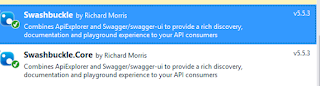
Swagger has provided a very simple way to document your APIs. I created a simple OOTB Web Application with the Web API template. To create the swagger output: 1. Add the SwashBuckle nuget package 2. Publish the API and navigate to <API URL> /swagger/docs/v1 . This will create the swagger json 3. Save the file in a swagger.json file in the solution. 4. Open the file with the  http://editor.swagger.io/#/ to retrieve the documentation.

API: How do I pass parameters to a REST API without including them in the QueryString? (Overcome penetration testing issues before they occur)

A recent penetration test of some API code showed that user information (such as an email address) was being displayed in the querystring. The API was: [HttpPost] [Route("api/MyAPIEndPoint")] public void DoSomething(string login, string email) { // stuff } A simple view of the endpoint with a browser would display the users details. The network tab in Chrome showed "api/MyAPIEndPoint?login=X12345&email=test@test.com". A new approach was required. The solution is to include the data in the body of the Request. The factory event is updated as follows: function DoSomething(login, email, success, failure) { var url = "/api/MyAPIEndPoint"; var parameter = { "Login": login,                 "Email": email }; return executePost(url, parameter, success, failure); } function executePost(url, parameters, success, failure) { var req = { method: 'POST', url: url, data: parameters }; $htt...

SharePoint Search: How do I limit a search query to a specific site collection?

The url needs to be as follows (as per this entry ): http://localhost/_api/search/query?querytext='test+path:"http://localhost/subsite/"' The C# code the create the querystring is as follows: string searchRestUrl = "/_api/search/query?querytext='" + text + "+%2b+path:\"" + HttpUtility.UrlEncode(SiteUrl) + "\"'&rowlimit=5"; where SiteUrl is the full url for my site.

Web API: Why am a getting a '500' error when accessing my REST endpoints for javascript?

For me, the solution was found by doing the following: 1. Add a 'Route' annotation above the endpoints    [Authorize]     public class MyAPIController : ApiController     {         [HttpPost]         [Route("api/MyAPI/MyPostEndPoint")]         public void MyPostEndPoint()        {        }        [HttpGet]        [Route("api/MyAPI/MyGetEndPoint")]        public void MyGetEndPoint()        {        }     } 2. When calling the endpoints from the js factory, my POST call we different to my GET command: function executeGet(url, success, failure) {             $http.get(url, {                 headers: { 'Authorization': 'Blah' }       ...